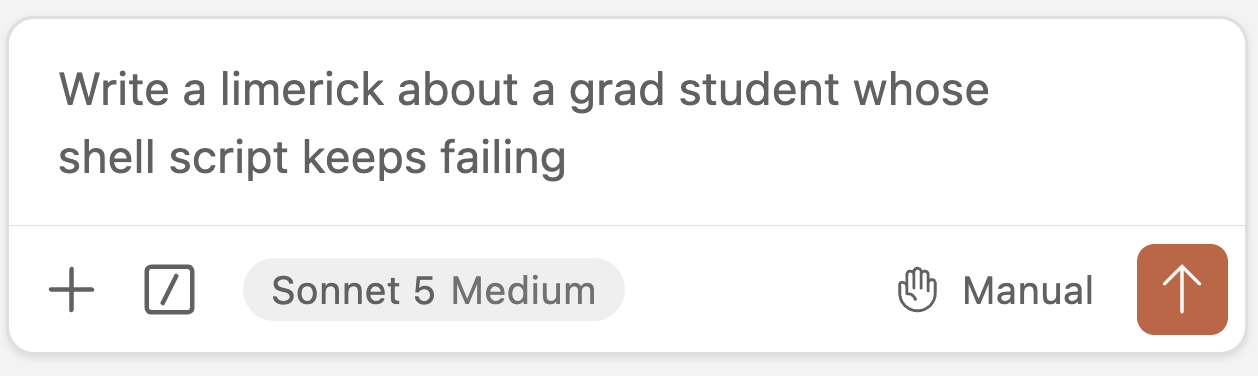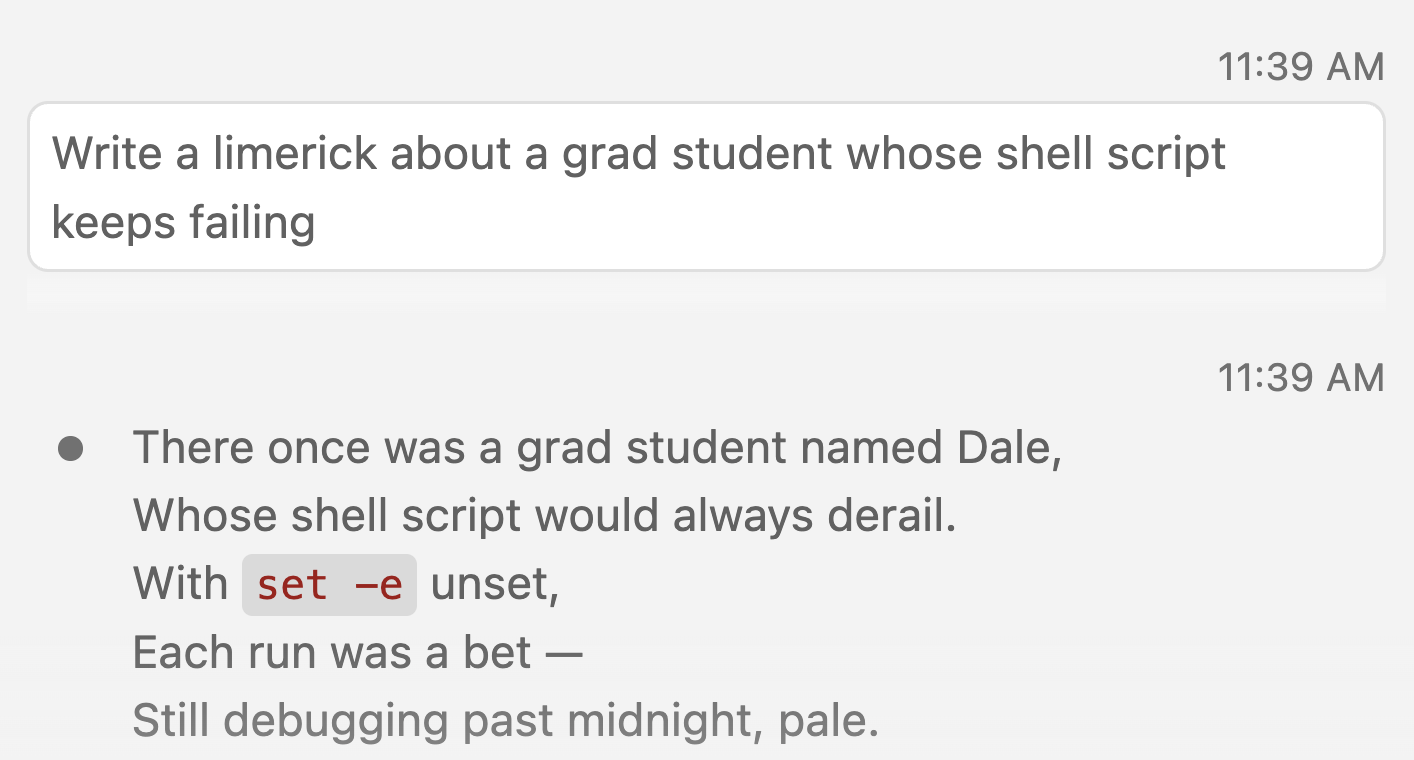
Week 8 lecture
Jelmer Poelstra
October 12, 2026
Self-study content
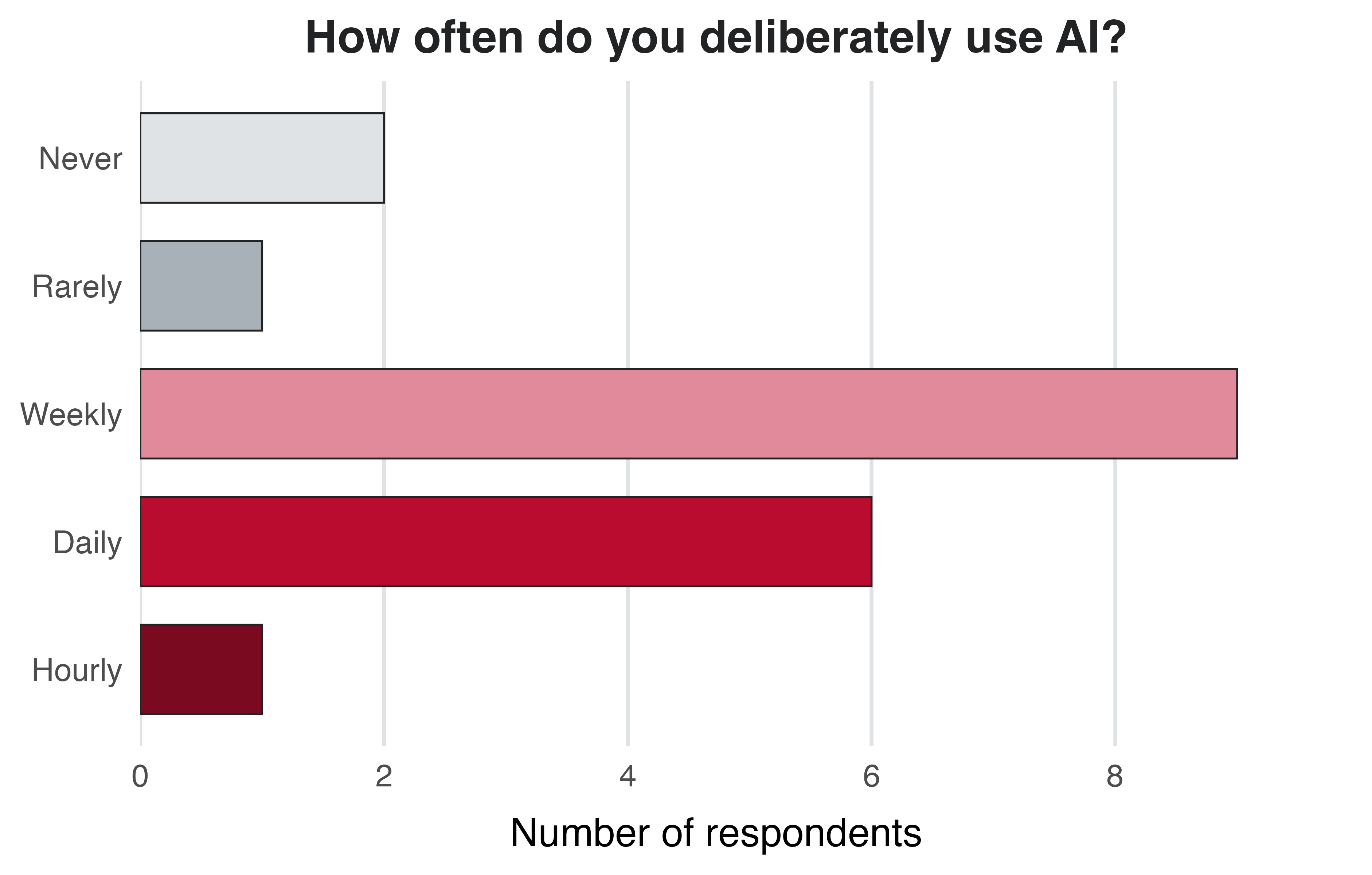
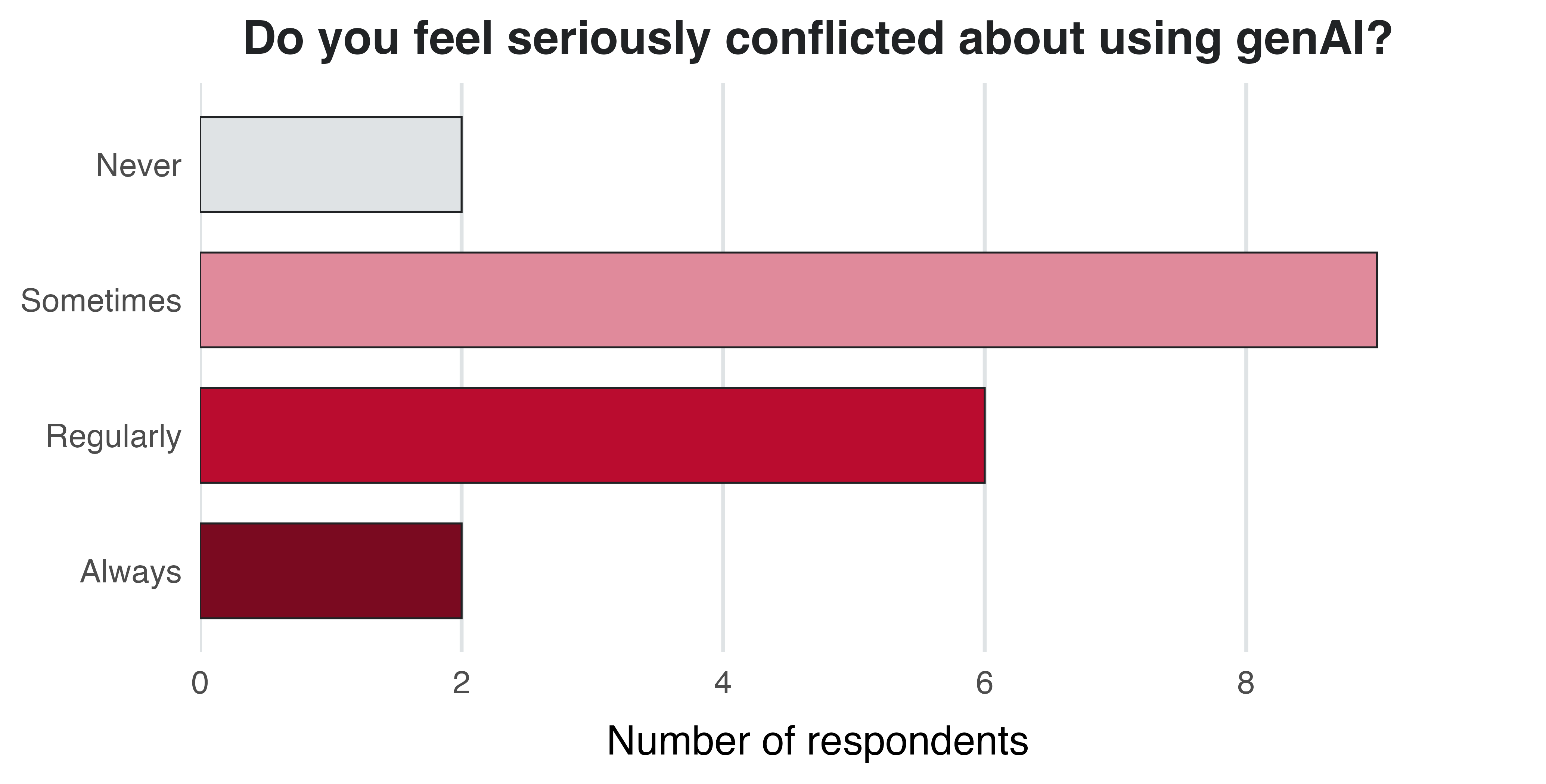
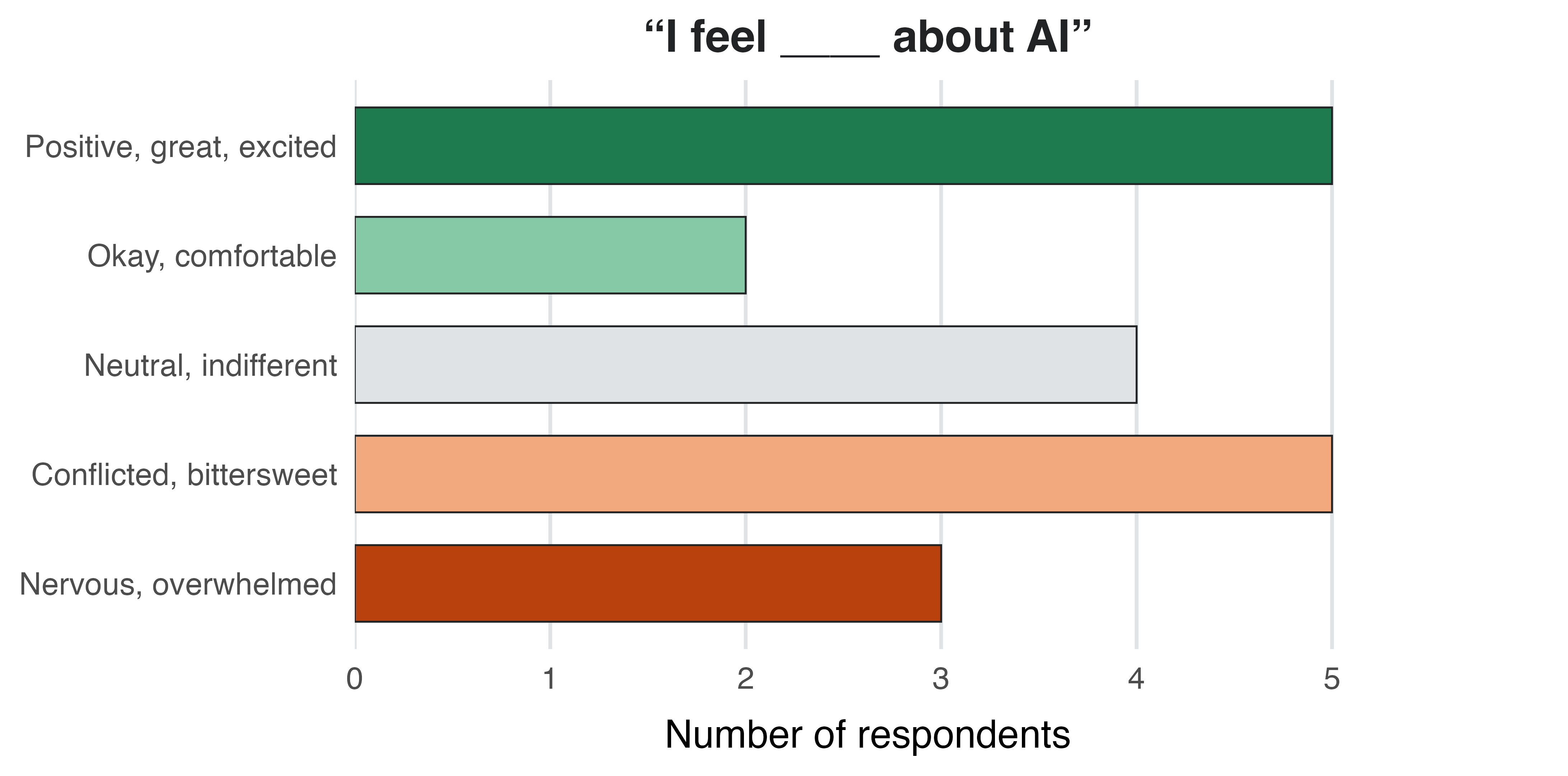
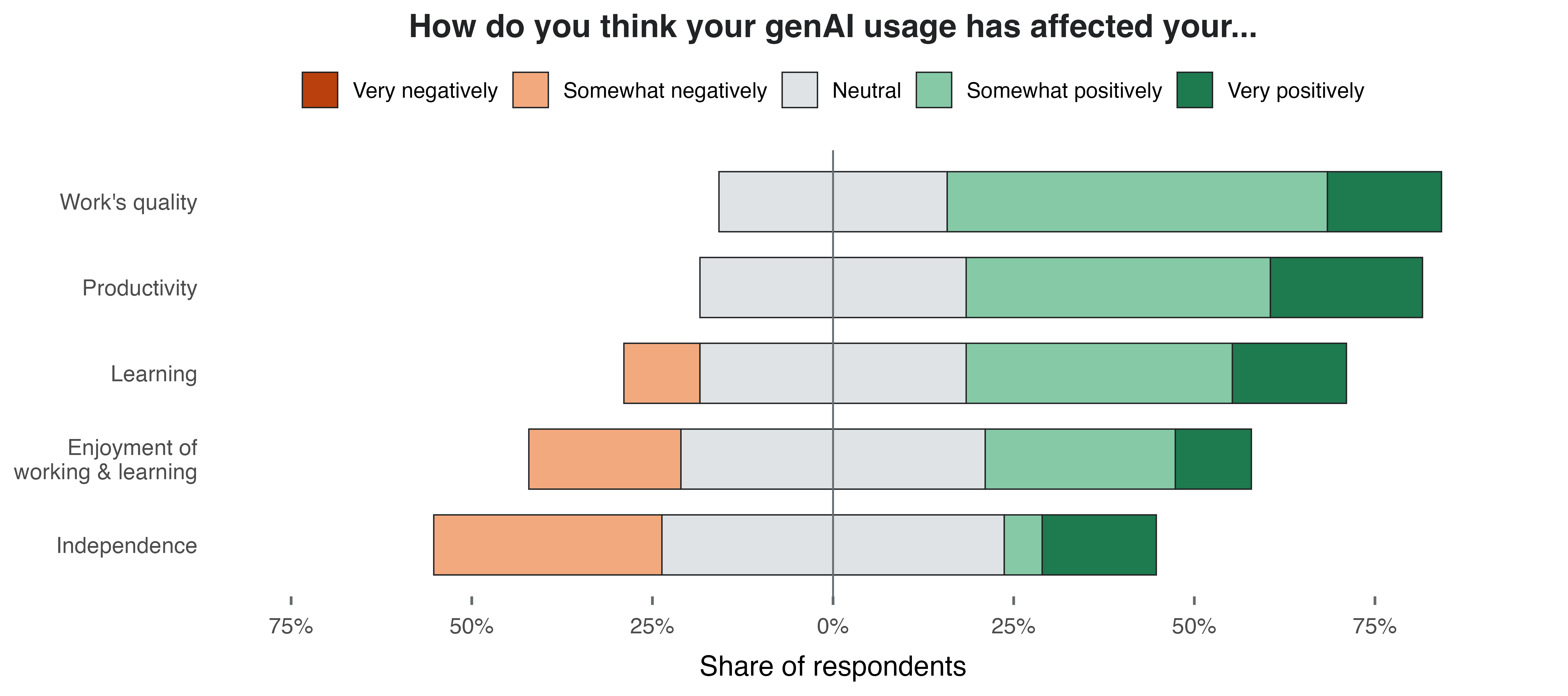
The Qualtrics survey has the following questions:
While conventional machine learning (ML) is AI that has been around for decades and is commonly used in biology, deep learning, based on large neural networks, has taken off more recently:
Predicts an answer for a given input, e.g.:
Also used outside of omics/bioinformatics, like image classification, e.g., characterizing soybean defoliation from drone images (Zhang et al. 2022).
Creates new content such as text, images, code, proteins, and DNA. In biology:
Plant pathology example: design of new rice immune receptors that recognize pathogen proteins (Zhu et al. 2026).
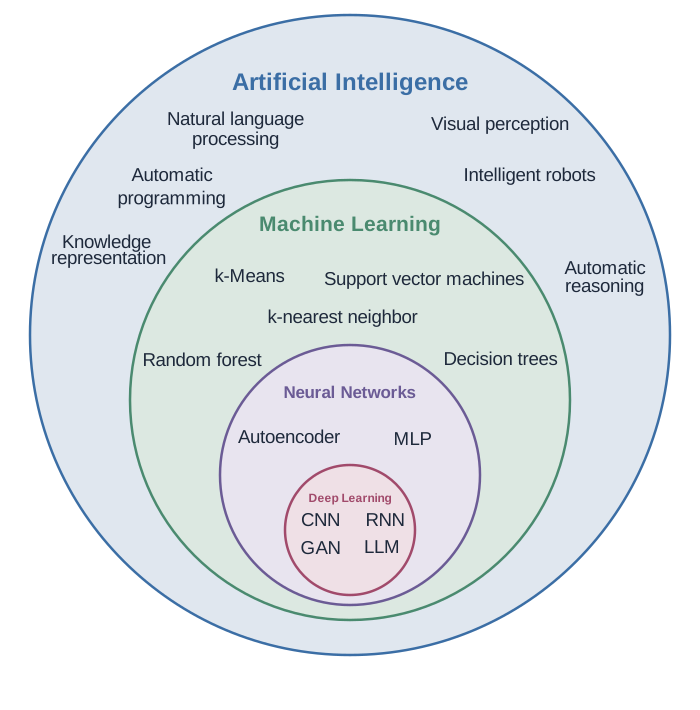
Generative AI is built on deep learning, which is a subset of neural networks, which is a subset of machine learning, which is a subset of artificial intelligence.
(In the figure, GANs and LLMs are examples of genAI.)
Image by Gladstone Institutes
LLMs have been extremely prominent since ChatGPT’s launch in late 2022.
In simple terms, LLMs such as ChatGPT aim to predict the next part of a word or phrase based on a user-provided text prompt.
— Cooper et al. (2024)
However:
Older models only looked at the last few words (e.g., early search autocomplete).
LLMs use an architecture called “transformers”, which considers the broader context:
the full input text and the output generated so far.
G = Generative
P = Pre-trained
T = Transformer
Beyond the training data
Many genAI tools can also use information outside of their training data, such as a file you upload or web search results, by adding it to the input text.
This has become much more common in the last few years: many tools now automatically search the web when a question is about recent events.
Why this matters
Performance degrades with conversation length
Answers get worse well before the context window is full: e.g., information in the middle of a long conversation tends to get “lost”. Once it is full, older parts are dropped or summarized.
Start a new chat for each new task — and even within a task, once a conversation gets long.
A model name like Claude Sonnet 5.5 combines three “levels”:
Each company makes its own models. The three at the frontier:
Companies offer different models — for Claude:
Each tier is updated regularly:
E.g., Claude Opus in 2026: 4.6 → 4.7 → 4.8 → 5 → 5.5.
Each update is generally an improvement.
Tool ≠ model: chat tools often let you pick a model, and some tools use another company’s models.
For example, the tool Microsoft Copilot mainly runs OpenAI’s GPT models.
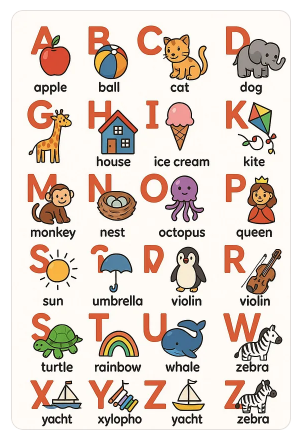
A 2025 AI-generated alphabet poster
by Maria Sukhareva.
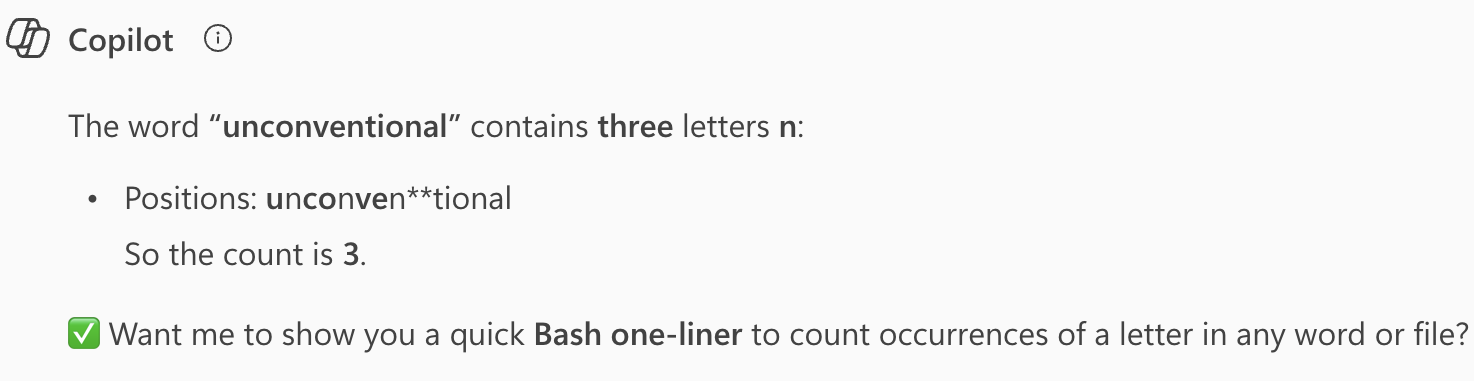
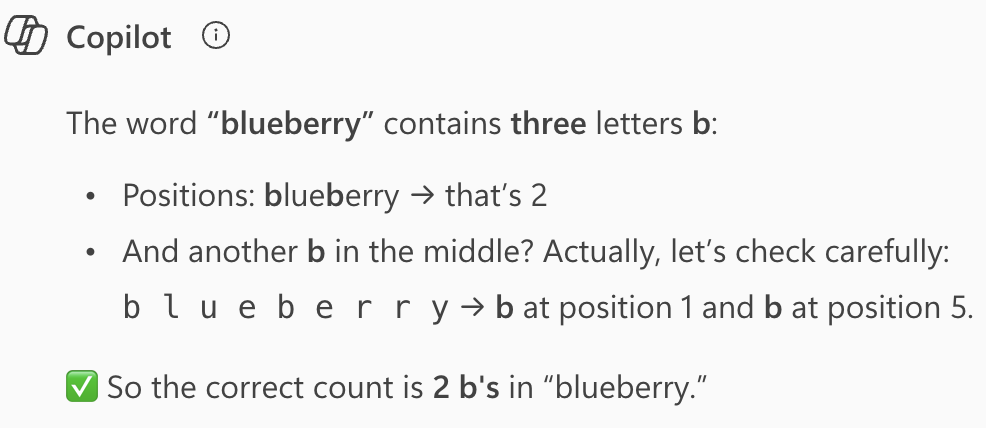
Still, why couldn’t it count letters?
What LLMs actually see are tokens converted to numbers, so the individual letters are invisible to them.
To see how text is split into tokens, paste “unconventional” and a DNA sequence like ATGGCGTTAGCCATTAGC into a tokenizer . Click “Token IDs” to see the numbers the model receives.
As applied to omics: don’t ask a chat AI to count bases or reverse-complement a sequence by reading it. Ask it for code that does this, or to run non-AI tools that do it.
Ohio State is one of a number of universities that have embraced genAI in education:
Ohio State is leading a bold, groundbreaking initiative to integrate artificial intelligence into the undergraduate educational experience. The initiative will ensure that every Ohio State student, beginning with the class of 2029, will graduate being AI fluent — fluent in their field of study, and fluent in the application of AI in that field.
Your experiences
What have you noticed of this initiative?
More broadly, in your other courses:
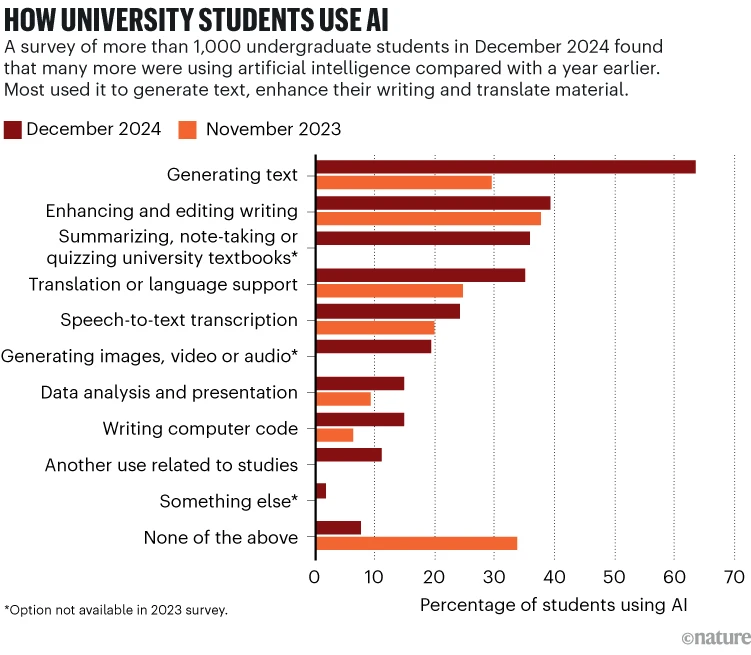
Last year, Nature published a News Feature about genAI adoption at universities :
Pearson (2025)
At Ohio State University in Columbus, students this year will take compulsory AI classes as part of an initiative to ensure that all of them are ‘AI fluent’ by the time they graduate.
But many education specialists are deeply concerned about the explosion of AI on campuses: they fear that AI tools are impeding learning because they’re so new that teachers and students are struggling to use them well. Faculty members also worry that students are using AI to short-cut their way through assignments and tests, and some research hints that offloading mental work in this way can stifle independent, critical thought.
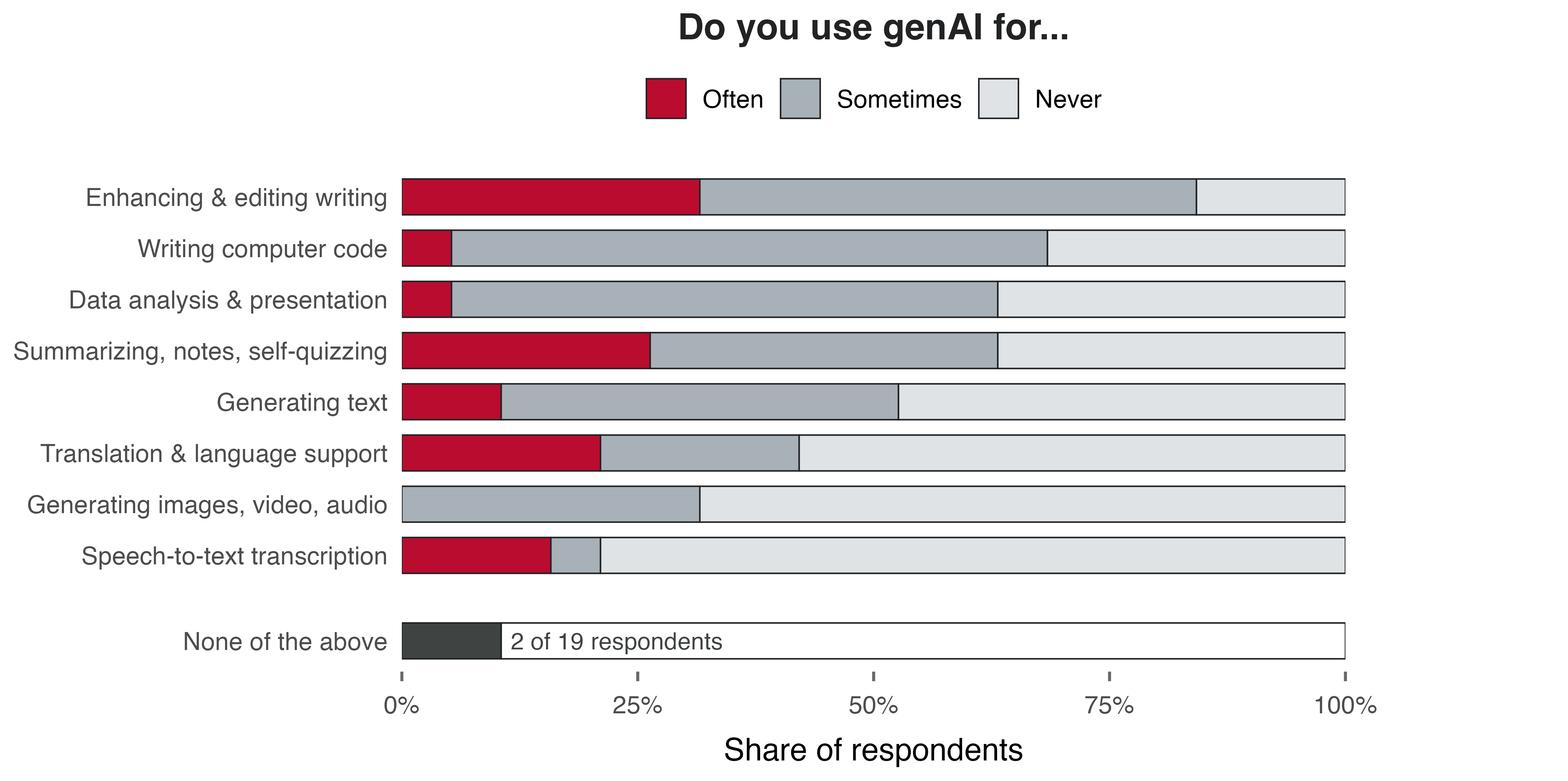
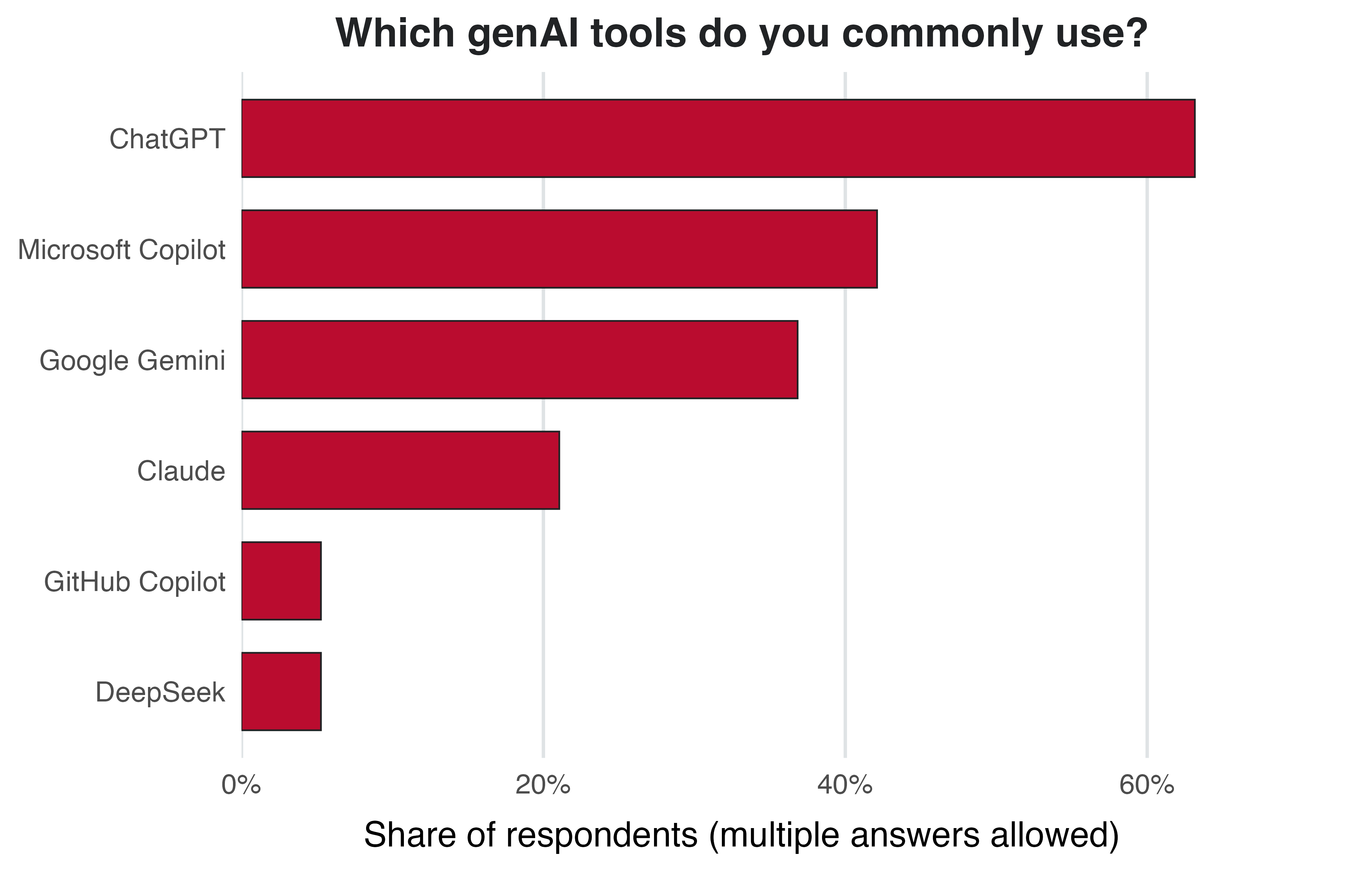
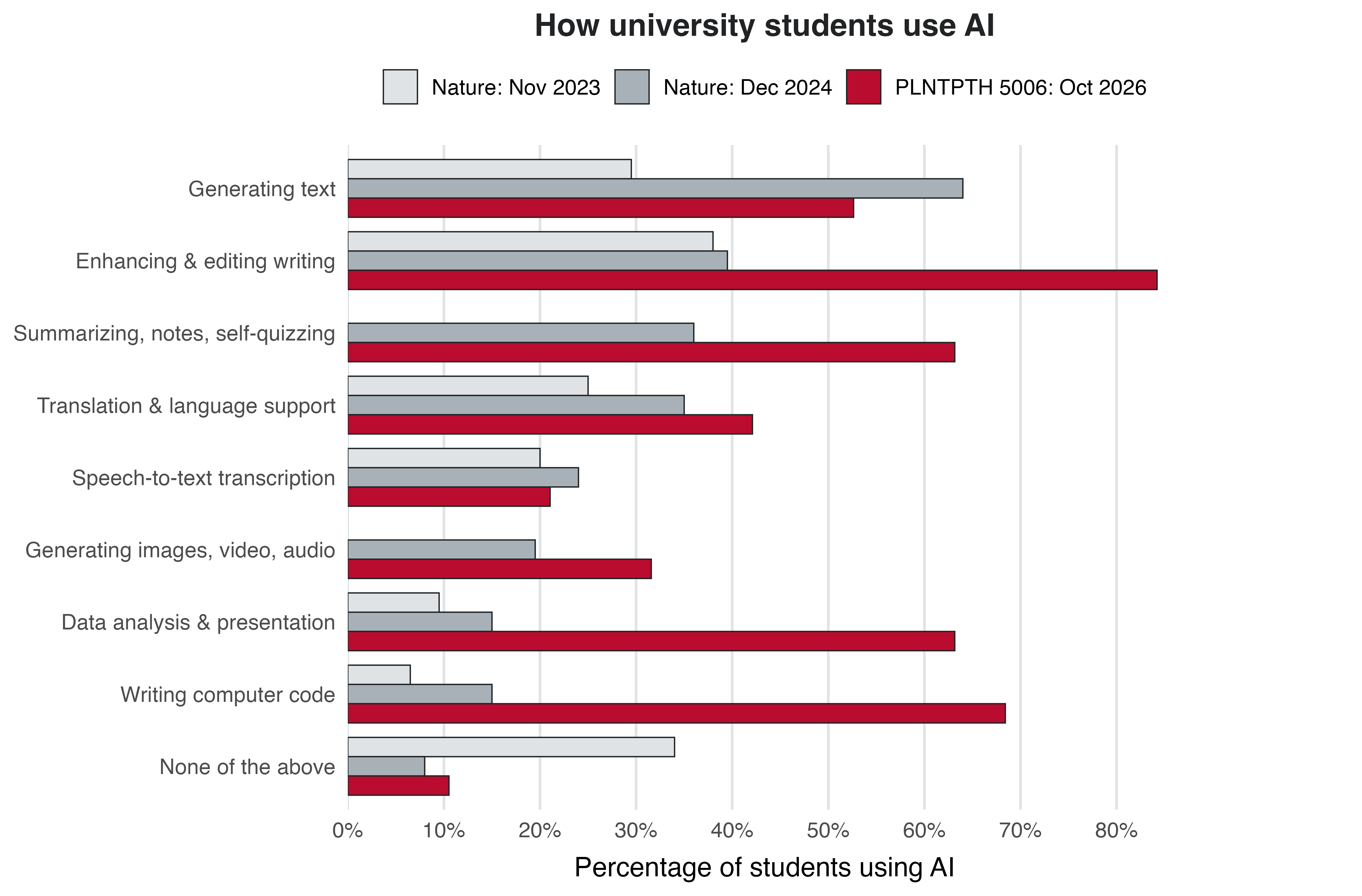
How do these numbers compare to our poll?
From this week on, you’re allowed to use genAI for all graded course components.
But you must always be able to explain your reasoning and code, and document how you used genAI.
GenAI output is not reproducible: the same prompt can give a different answer next time, and models are updated and retired.
So save the output you actually use: saving only the prompt is not enough to get it back. (And for disclosure, note which tool you used and for what.)
Ohio State provides access to several genAI tools.
Whenever you can, you should use these rather than personal accounts, because of:
Your data is handled according to Ohio State’s policies.
So you can share data up to the highest level, “S4: Restricted” (see OSU’s data levels ), which includes your unpublished research data.
(Though not approved for regulated data, such as HIPAA patient data.)
You get access to more advanced models with higher usage limits (at least compared to free personal accounts).
All these tools are only approved when you use them through OSU, i.e., by logging in with your OSU credentials.
Ever-changing list, but currently includes:
OSU’s GenAI Service provides “API keys” to access many different models.
With an API key, you can use models within other software, like within Claude in VS Code (next lecture).
Unlike the chat tools, and unlike personal subscriptions, this is pay-per-use: every request costs money.
Do you use these tools, or do you prefer something else? Does anyone have a personal subscription?
For coding tasks, it’s highly beneficial to use genAI directly inside your IDE, like VS Code:
AI agents are convenient and powerful, but that also makes them potentially dangerous.
With the example task of troubleshooting an error:
Chat AI
Agentic AI
What it can see
Only what you paste or upload
Your project files, your environment, output of commands it runs
With the example task of troubleshooting an error:
Chat AI
Agentic AI
What it can see
Only what you paste or upload
Your project files, your environment, output of commands it runs
What you need to tell it
Error message, your OS, program versions, extensive context
Error message, less context
With the example task of troubleshooting an error:
Chat AI
Agentic AI
What it can see
Only what you paste or upload
Your project files, your environment, output of commands it runs
What you need to tell it
Error message, your OS, program versions, extensive context
Error message, less context
Workflow
You run the code and paste errors back, back-and-forth between you and the AI
Agent runs the code, reads the errors, fixes them, and retries (loops) until done
An agent can work in a loop of “tool calls” (reading files, running commands, editing files)
until it considers the task done:
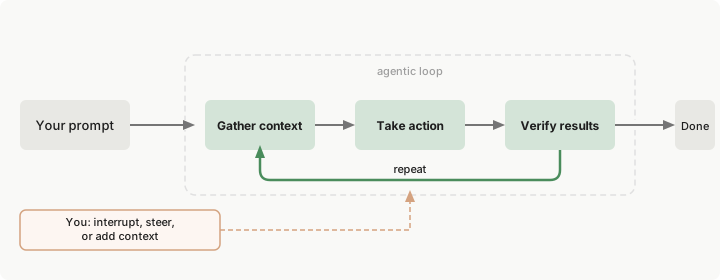
Image from the Claude Code docs
All the options so far are cloud-based.
Each request goes to the provider’s servers, where the models are hosted and run.
The models we’ve discussed are proprietary and not available for download.
Open-weight models like DeepSeek and Llama can be downloaded and run locally.
Small models can run on personal computers; OSC can run larger ones (on GPU nodes).
Beyond compute costs, usage (“inference”) is free.
Less capable than frontier proprietary models, but not necessarily by much.
We may explore local models at OSC later in the course. OSC is working on setting up a permanently running model, and may offer us some test usage very soon. See osc.edu/AI for current options.
Recurring themes:
A number of tools can provide genAI assistance inside your IDE.
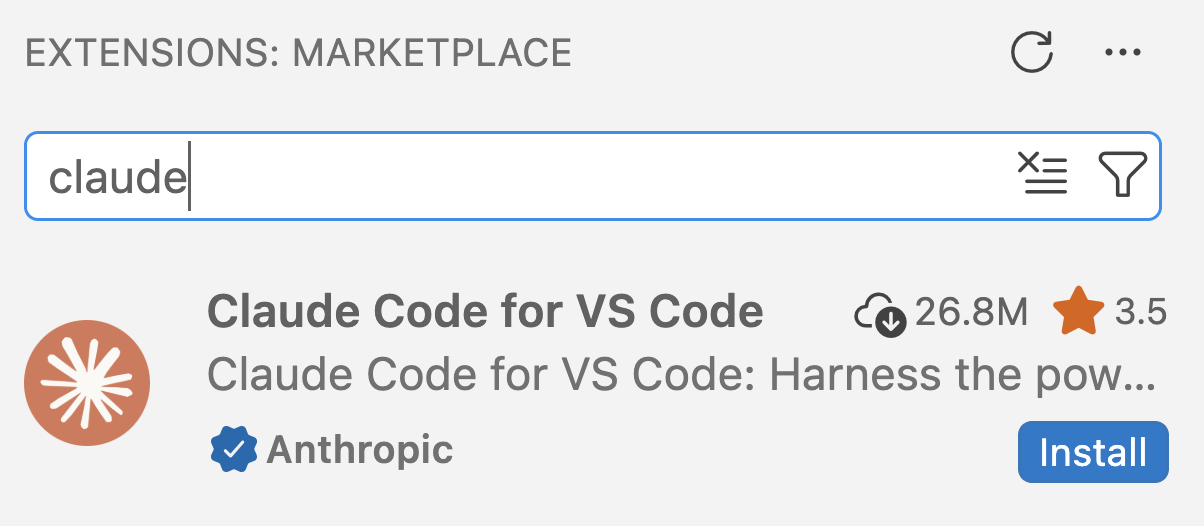
Two of the most prominent are Claude Code and GitHub Copilot, and we can use both inside VS Code. However, there are some important differences between the two:
| Feature | GitHub Copilot | Claude Code |
|---|---|---|
| Code completions | ✅ | ❌ |
| Agentic chat | ✅ | ✅ |
A number of tools can provide genAI assistance inside your IDE.
Two of the most prominent are Claude Code and GitHub Copilot, and we can use both inside VS Code. However, there are some important differences between the two:
| Feature | GitHub Copilot | Claude Code |
|---|---|---|
| Code completions | ✅ | ❌ |
| Agentic chat | ✅ | ✅ |
| Some free use with a personal, “academic” account | ✅ | ❌ |
| Can be paid for with university funds | ❌ | ✅ |
| Approved for use with institutional data | ❌ | ✅ |
A number of tools can provide genAI assistance inside your IDE.
Two of the most prominent are Claude Code and GitHub Copilot, and we can use both inside VS Code. However, there are some important differences between the two:
| Feature | GitHub Copilot | Claude Code |
|---|---|---|
| Code completions | ✅ | ❌ |
| Agentic chat | ✅ | ✅ |
| Some free use with a personal, “academic” account | ✅ | ❌ |
| Can be paid for with university funds | ❌ | ✅ |
| Approved for use with institutional data | ❌ | ✅ |
| Often considered the best AI coding tool | ❌ | ✅ |
In class, we’ll use Claude Code. But we’ll enable GitHub Copilot and apply for its student plan now, because access only starts 72 hours after approval. Then, you can try it with the self-study page.
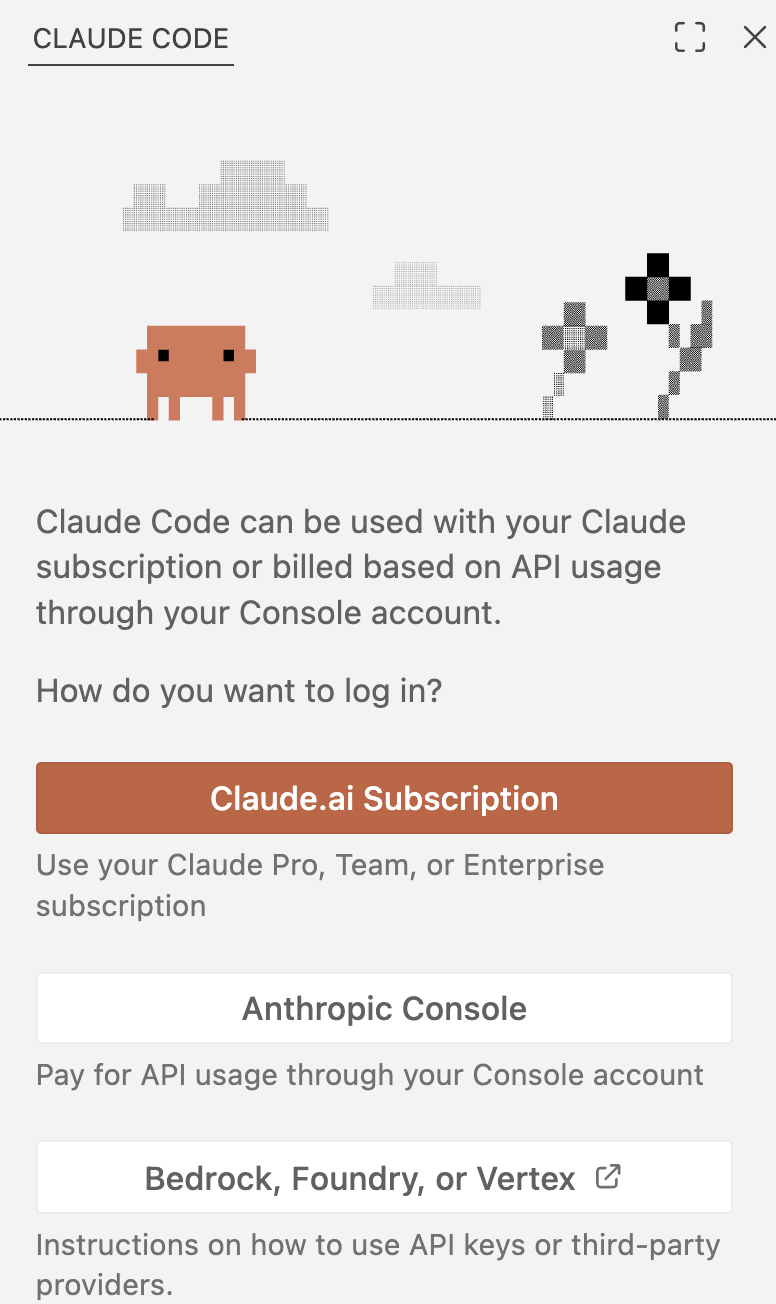
You’ve received a personal API key from us, giving you access to Claude models through OSU’s Generative AI Service. To tell Claude to use your key, create a settings file in your Home dir:
Copy a template settings file to that location:
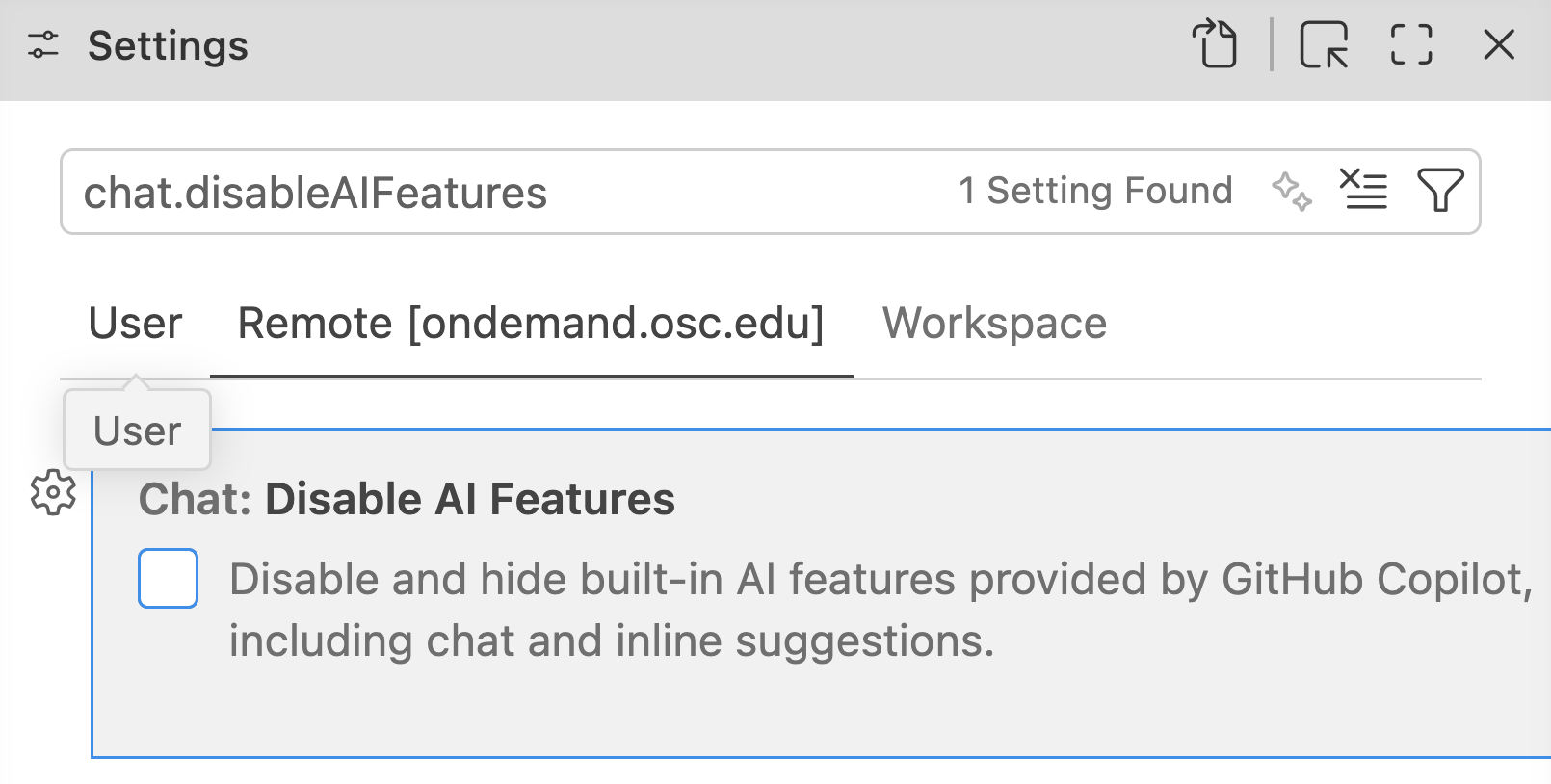
At OSC, GitHub Copilot is disabled by default in VS Code, so you need to enable it:
Open the Settings ( > Settings) and enter “chat.disableAIFeatures” in the search bar.
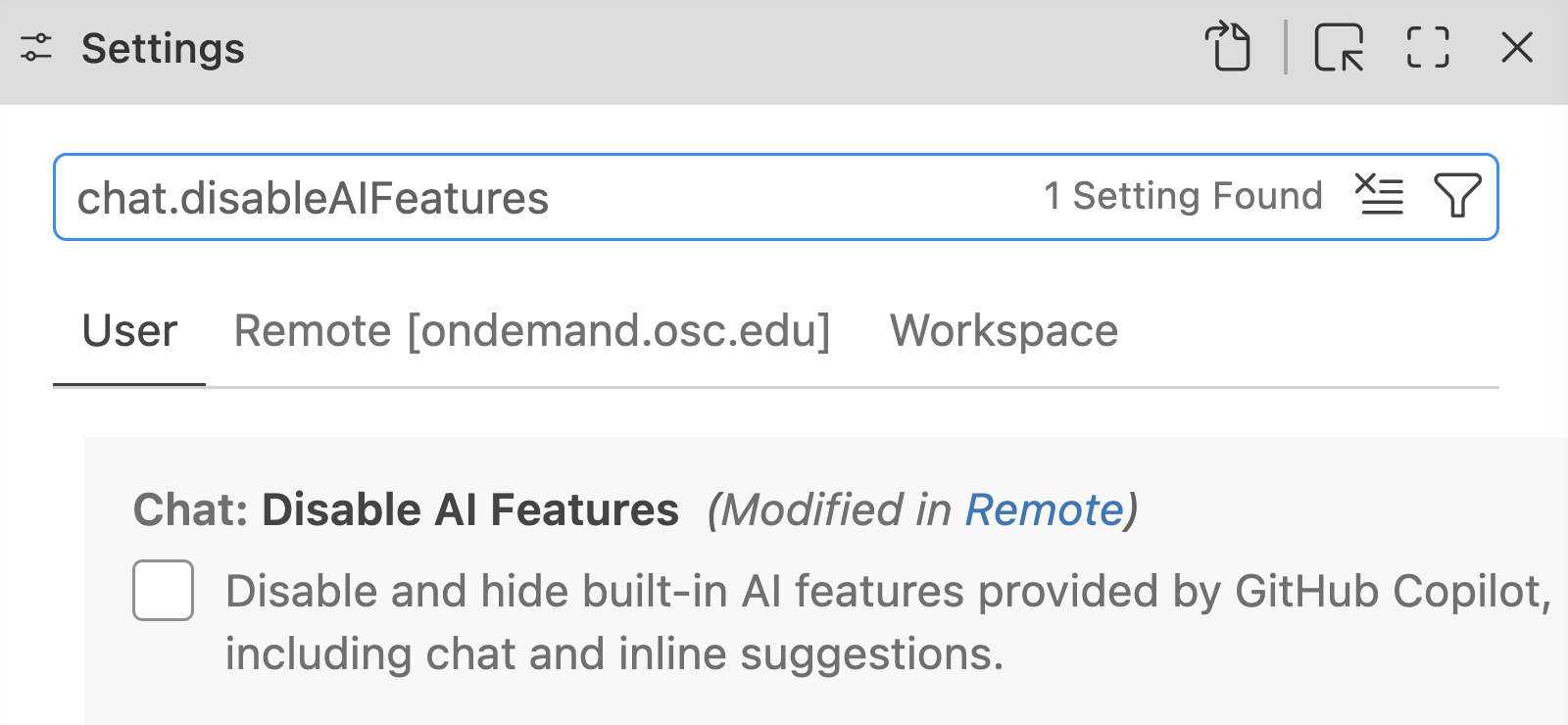
Click on the “Remote [ondemand.osc.edu]” tab header.
Uncheck the box next to “Chat: Disable AI Features”.
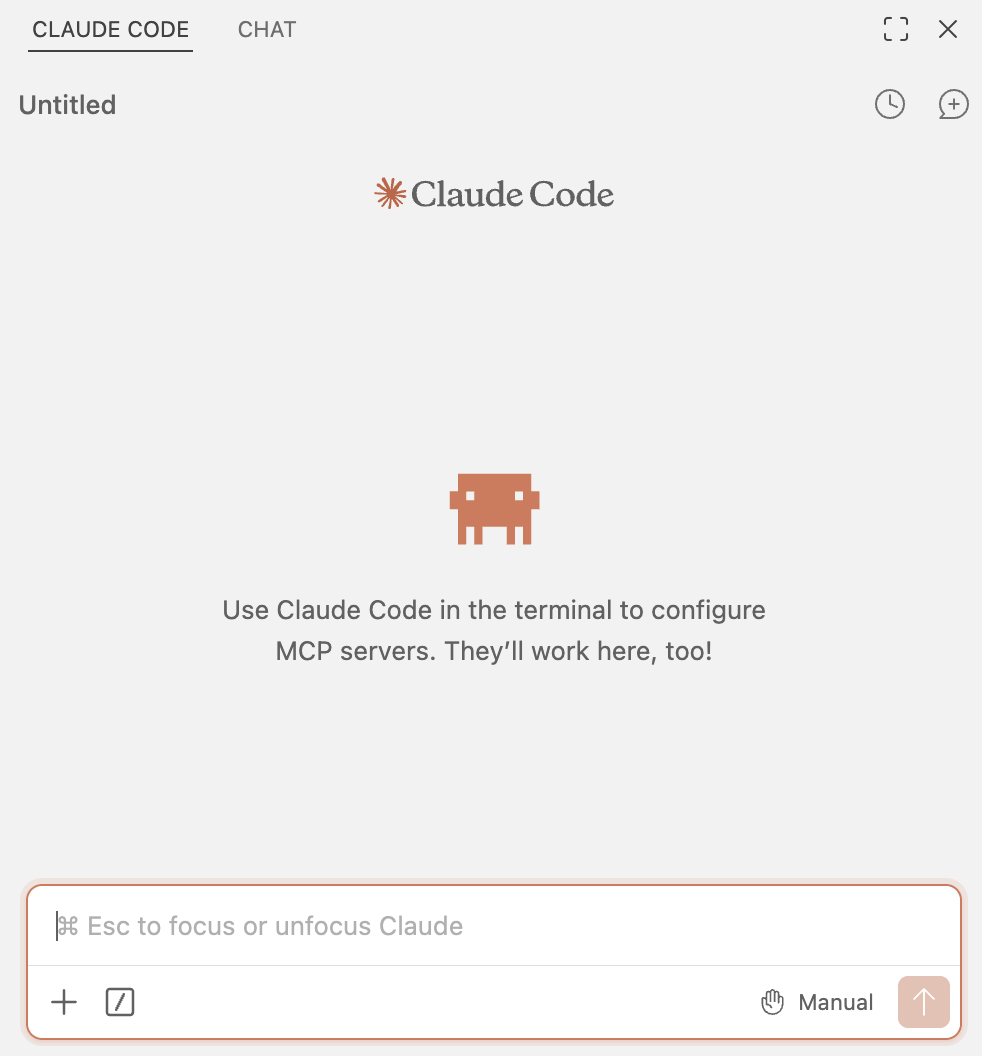
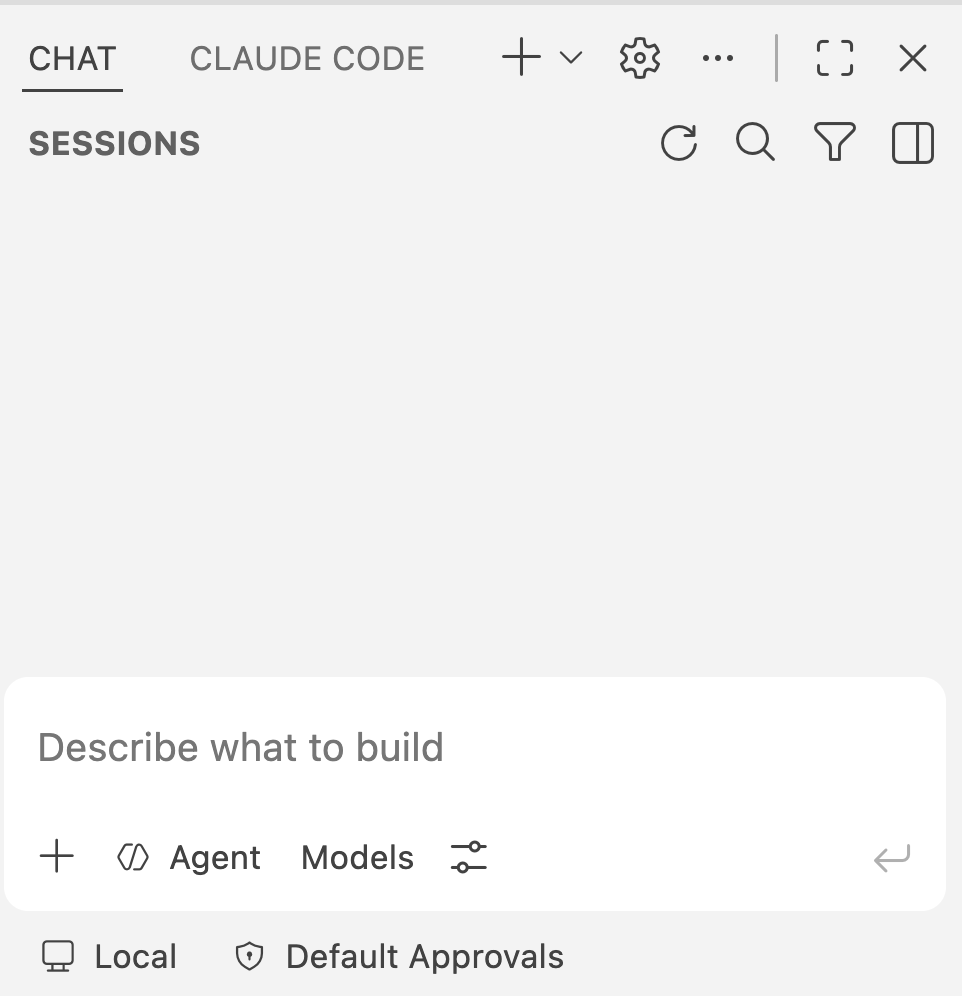
Now, the secondary side bar with Claude should also have a “CHAT” tab. Click that and the side bar should show something like the screenshot on the right.
As a student, you can get extended free access to GitHub Copilot via the Student plan (see the course’s Copilot page for more). To apply:
Click “Start an application”:

Application approval is often quite fast (sometimes in minutes), but access is only granted 72 hours after approval. You can already sign in and use the Free plan in the meantime.
Specialized non-generative models (most machine learning / deep learning)
Doing a specific task — e.g., AlphaFold 2 and DeepVariant from earlier.
Biological generative models
Creating new DNA or proteins rather than text — e.g., RFdiffusion and Evo 2 from earlier.
LLMs that run other tools
An agent that runs other programs, which may or may not use AI themselves. E.g., Claude designing protein binders by running RFdiffusion and similar programs (Claude Science and Shanehsazzadeh 2026).
LLMs doing (most of) the work themselves
E.g., extracting data from papers, interpreting results like a list of significant genes. Or Claude finding a new family of enzymes by spotting unusual repeats in phage DNA (Yoon et al. 2026).
See also
Partly based on Dewar (2026)
Anything else?
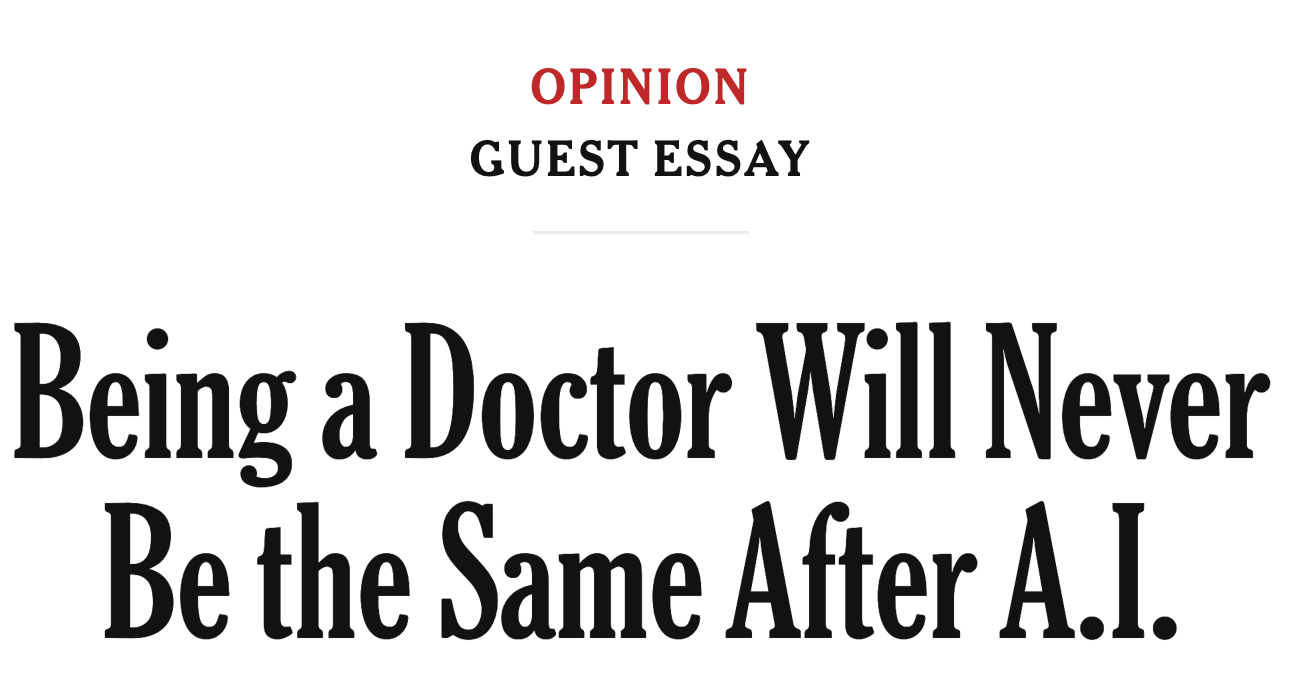
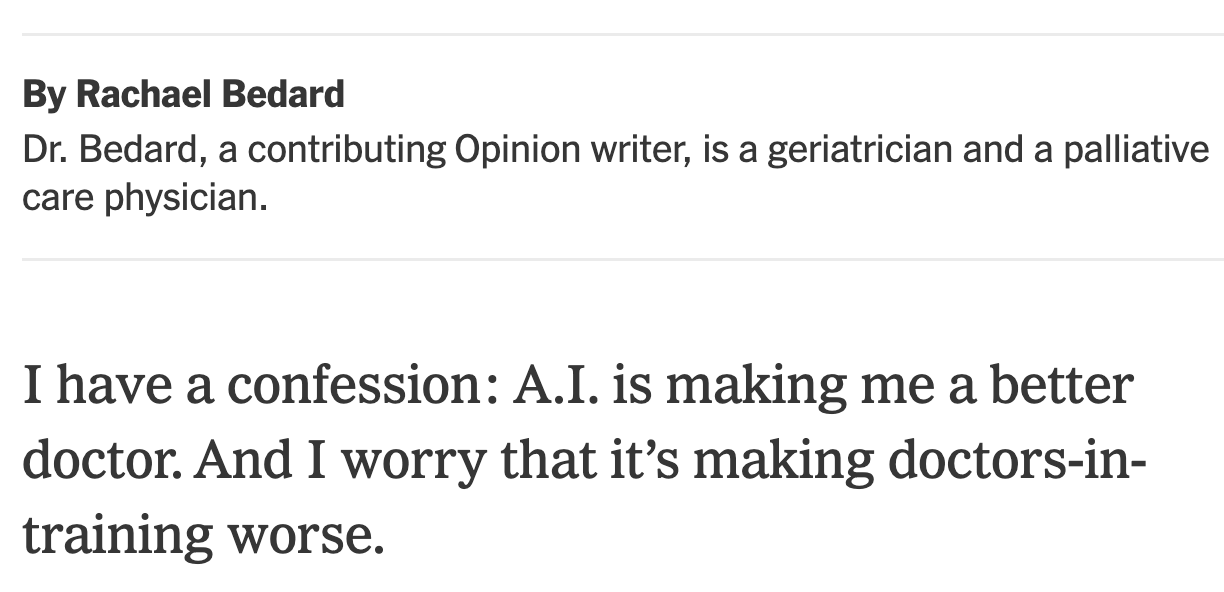
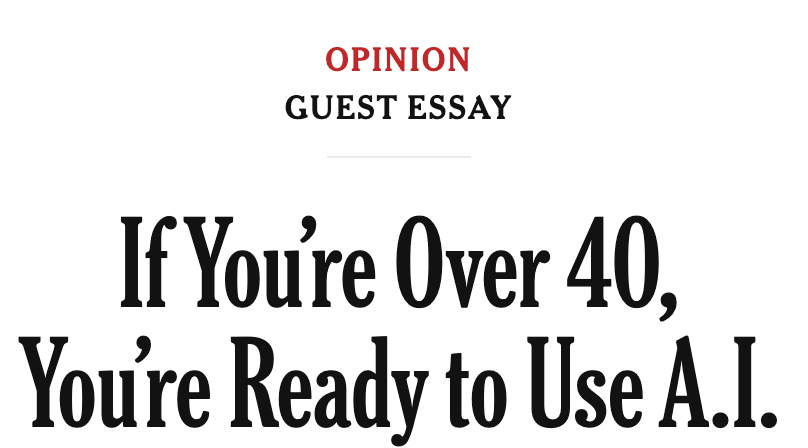
Why might AI make experienced doctors better, but doctors-in-training worse?
Does the same apply to our fields, and to coding?
The most important skill in prompting is expertise in the domain you’re prompting for.
— Sean Goedecke , “LLMs reward expertise”
Experts ask better questions, spot wrong answers, and steer AI toward better solutions.
Beginners often can’t tell when it’s wrong.
Go to https://gemini.google.com.
Click “Sign in” and sign in with your Ohio State email address (name.#@osu.edu) —
you’ll be sent to the OSU login page.
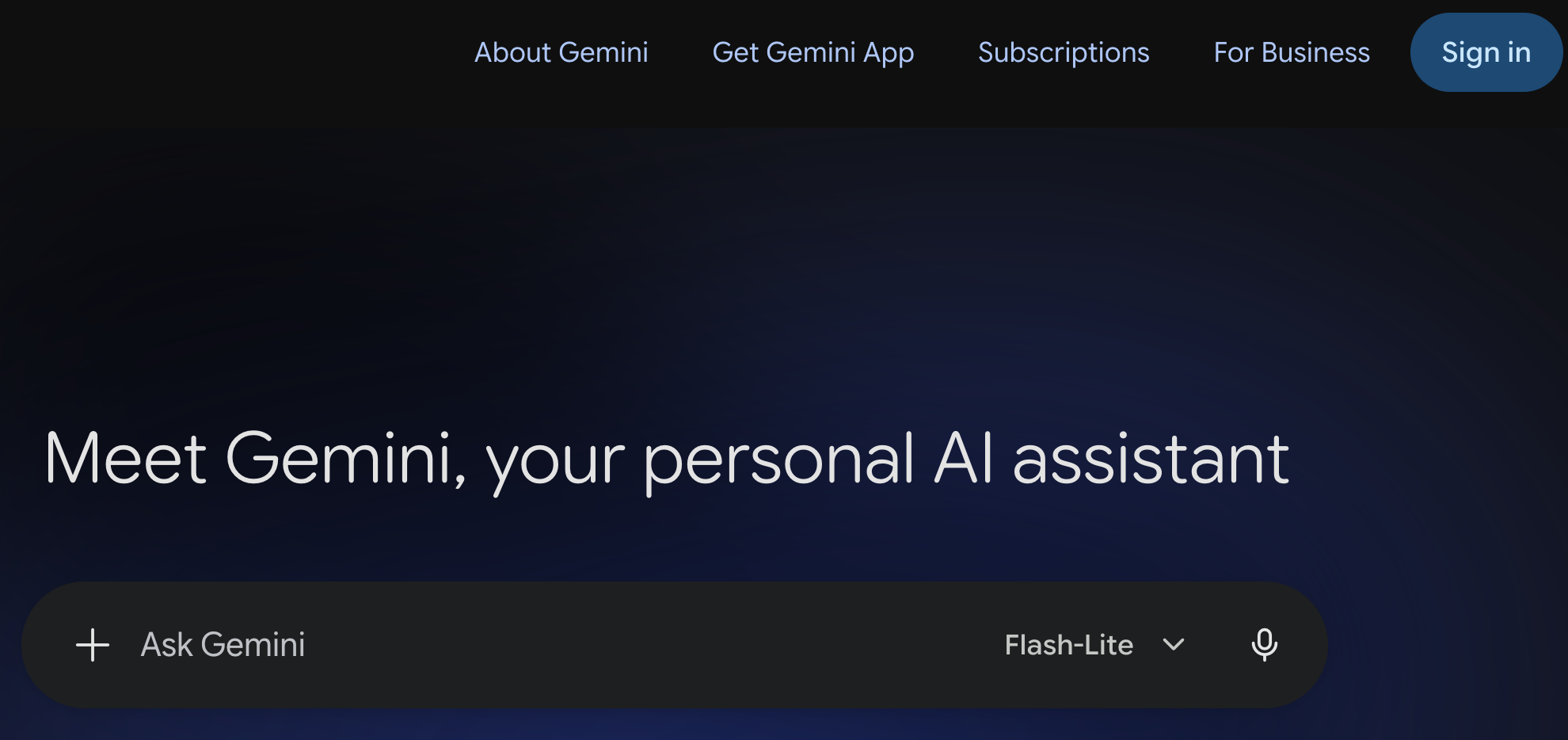
While you can chat right away, you need to sign in (top right)
to enable OSU’s data protection and access the more advanced models and features.
Go to https://gemini.google.com.
Click “Sign in” and sign in with your Ohio State email address (name.#@osu.edu) —
you’ll be sent to the OSU login page.
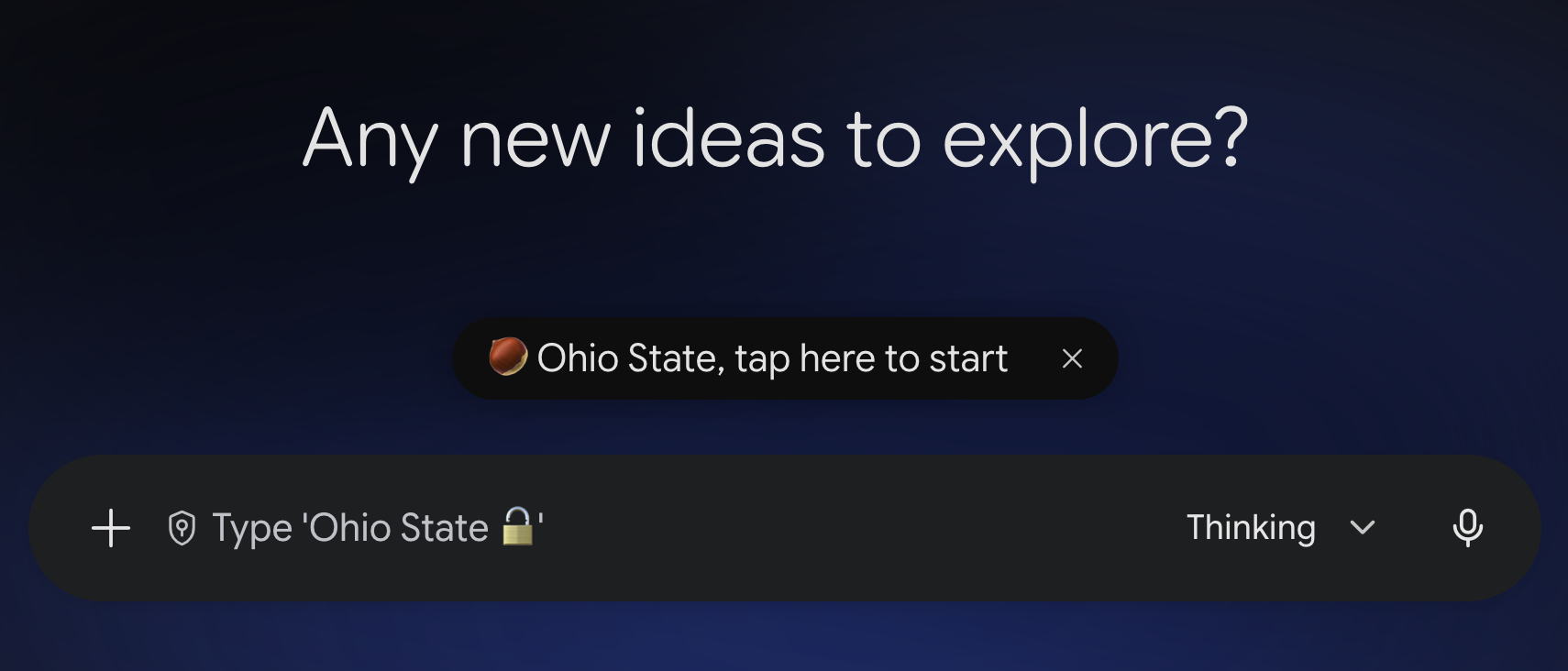
Now you’re signed in.
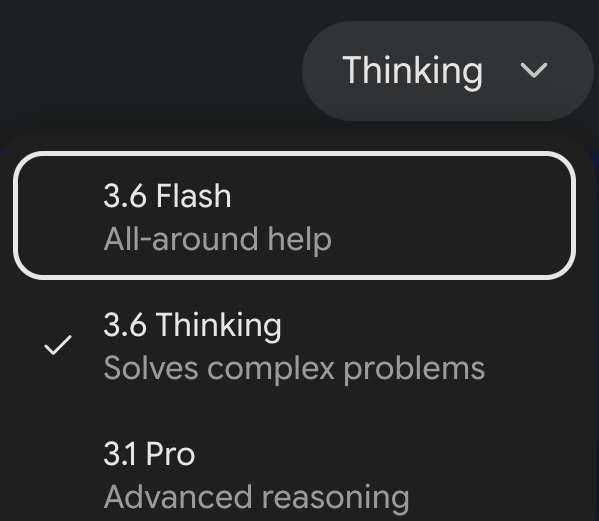
| Model | Mode | What it is | Notes |
|---|---|---|---|
| 3.6 | Flash | Quick answers | Fast; fine for most everyday questions |
| 3.6 | Thinking | Reasons longer first | Slower, but better at complex, multi-step problems and self-correction |
| 3.1 | Pro | Older, larger model | Slower, but strong on expert-knowledge questions; older training data |
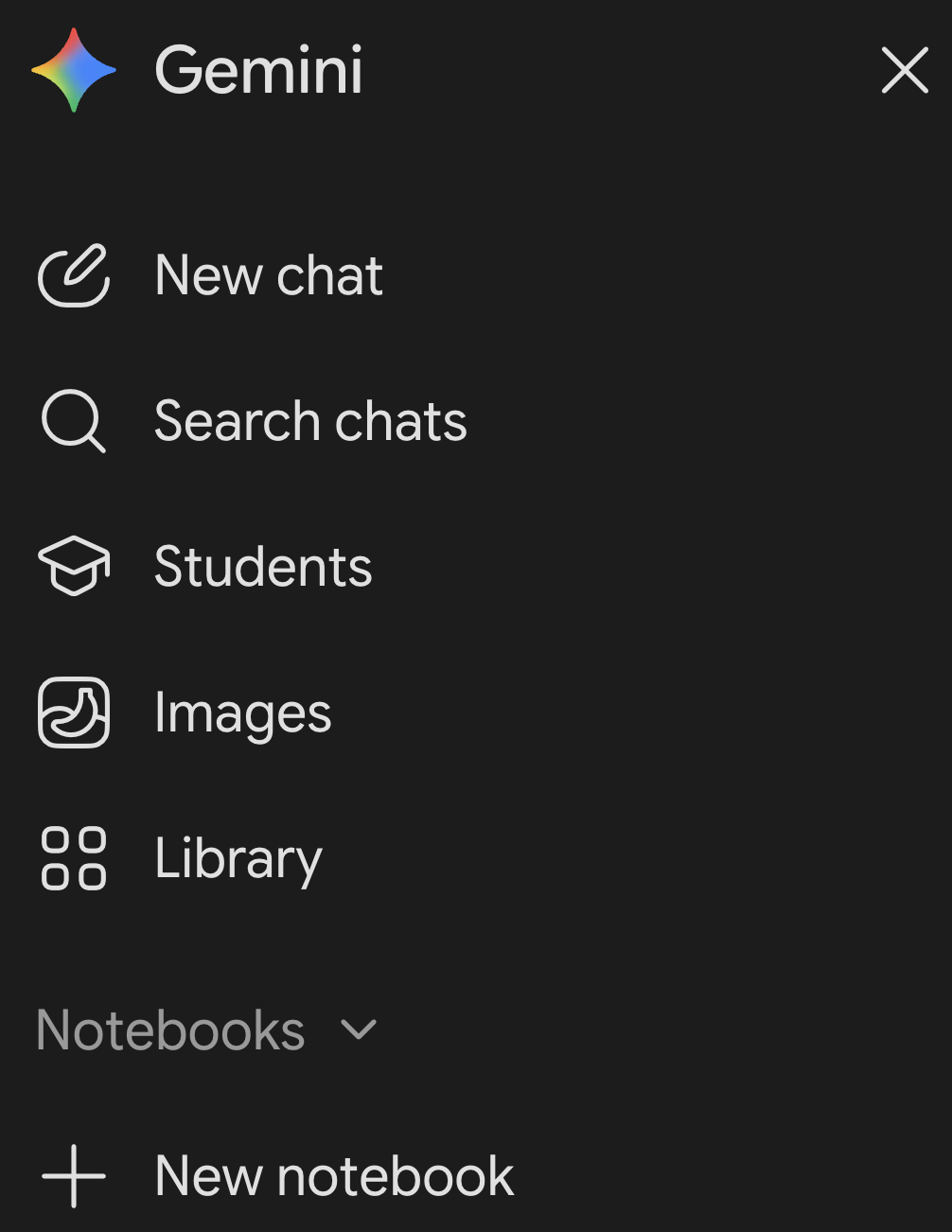
There is also a dedicated “Students” option. This has some presets like quizzes and flashcards. However, asking for these things in a normal chat seems to give equivalent responses.
Finally, there are image generation capabilities we won’t discuss further.
In constant, confusing flux: recently renamed from “NotebookLM” to “Gemini Notebook”, and now partially integrated with “plain” Gemini’s Notebook option.
At https://notebook.google.com but also linked to from “plain” Gemini.
Access to full text is an issue
On your own (4 min), try one of these in Gemini:
Then, let’s hear a few examples:
On this slide are some possible regular chat prompts, whereas the next slide will get Gemini to create interactive items like quizzes for you.
Either way, modify as needed to ask about something you’d actually like to learn more about. You can optionally also compare responses between Flash and Thinking models — would you expect large differences for these kinds of questions?
What does the following command do?
gunzip -v garrigos/ref/*
What does
set -euo pipefaildo at the top of a shell script?
Why should I put double quotes around variables in bash, like
"$file"instead of$file?
I don’t really understand how the pipe works.
For example, why doesgrep "cecropin" | zcat annot.gtf.gzfail?
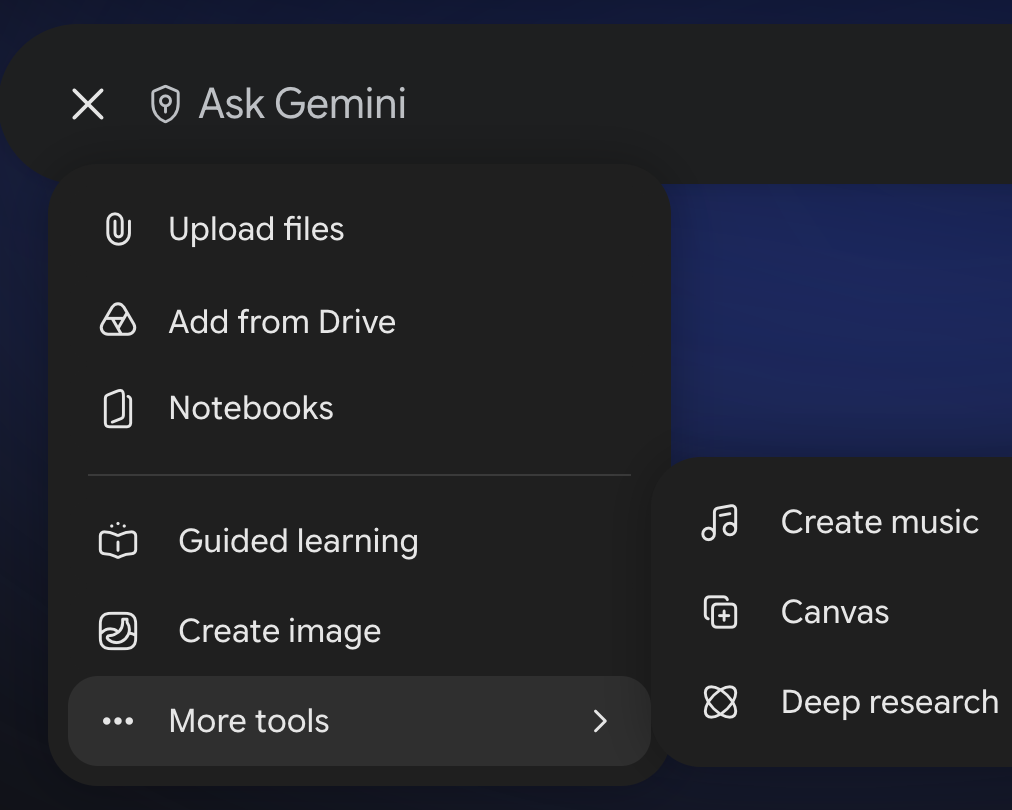
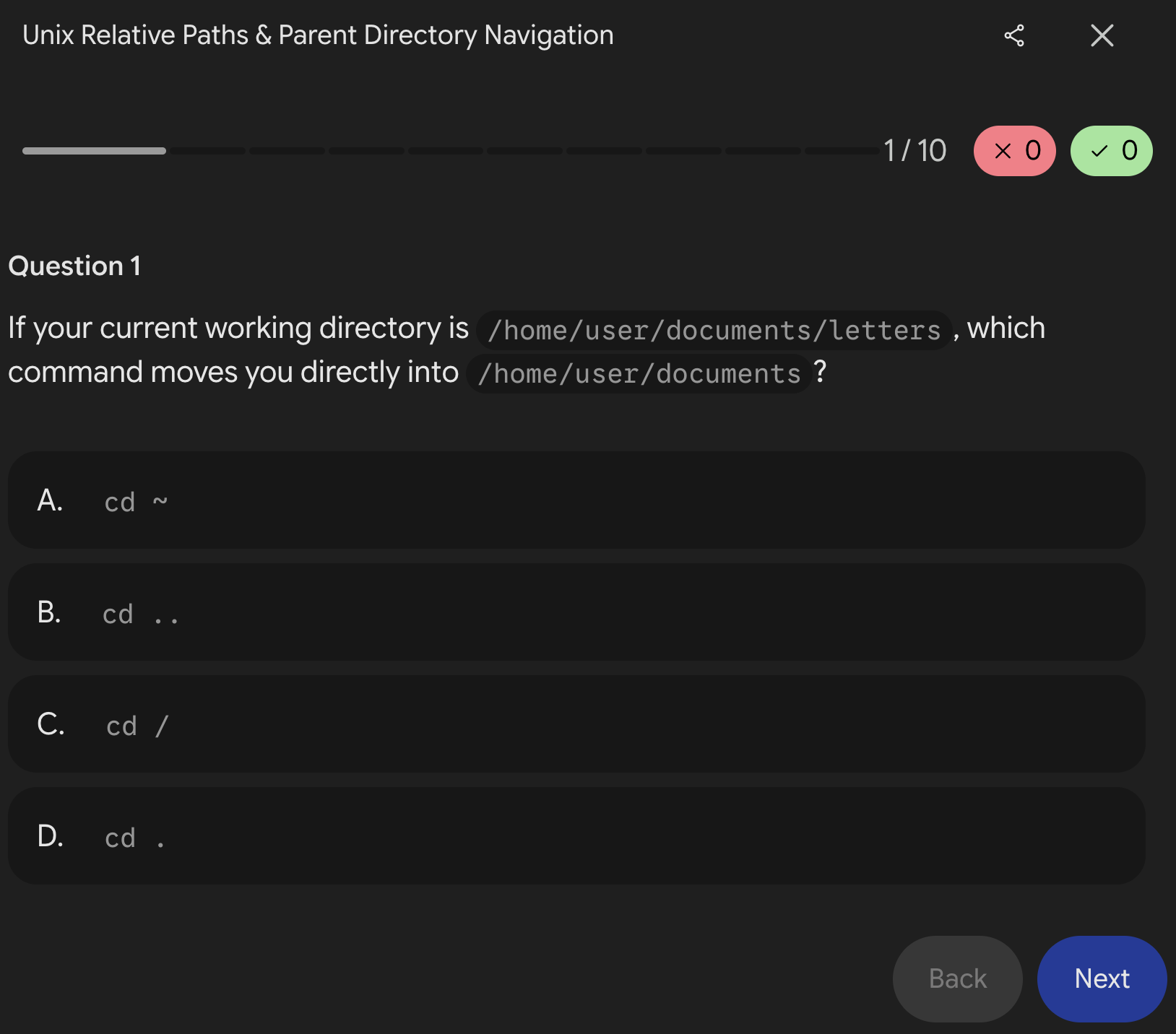
These kinds of questions, whether asked in the regular chat or with the “Students” option, should make Gemini create interactive items:
I am confused about using paths in the Unix shell, especially relative paths with
..and../... Quiz me on this topic to help me understand it better.
I struggle to understand the pipe in bash. I’m coming at this as a biologist learning the shell for data analysis. Quiz me on this topic to help me understand it better.
I’m a biologist learning to use the Unix shell for omics data analysis. Can you give me one tip at a time, with an example and present buttons for me to mark tips as too hard / too easy / great / off-topic?
After class, try Gemini’s Deep Research
Ask a question relevant to your own research. If you have no inspiration, here’s a suggested prompt:
“Compare TrimGalore, fastp, and Cutadapt for trimming Illumina RNA-seq reads. Which are most used in recent publications, and what are their pros and cons?“
A Deep Research report will probably take a few minutes. Once it’s done, pick one of its citations and check whether the source exists and it says what the report claims.
Task:
Write a Bash script that counts the number of reads in a FASTQ file.
+ Context & constraints:
[…] The file is gzip-compressed, and its name should be an argument to the script. Only use standard Unix tools.
+ Format & example:
[…] Print file name and read count separated by a space:
sampleA_R1.fastq.gz 250000
Many AI answers are poor because the AI doesn’t know your file names, column names, or software.
AI inside your IDE can see these, which is a big advantage.
To make it less likely that the model makes stuff up:
Models make things up, e.g.:
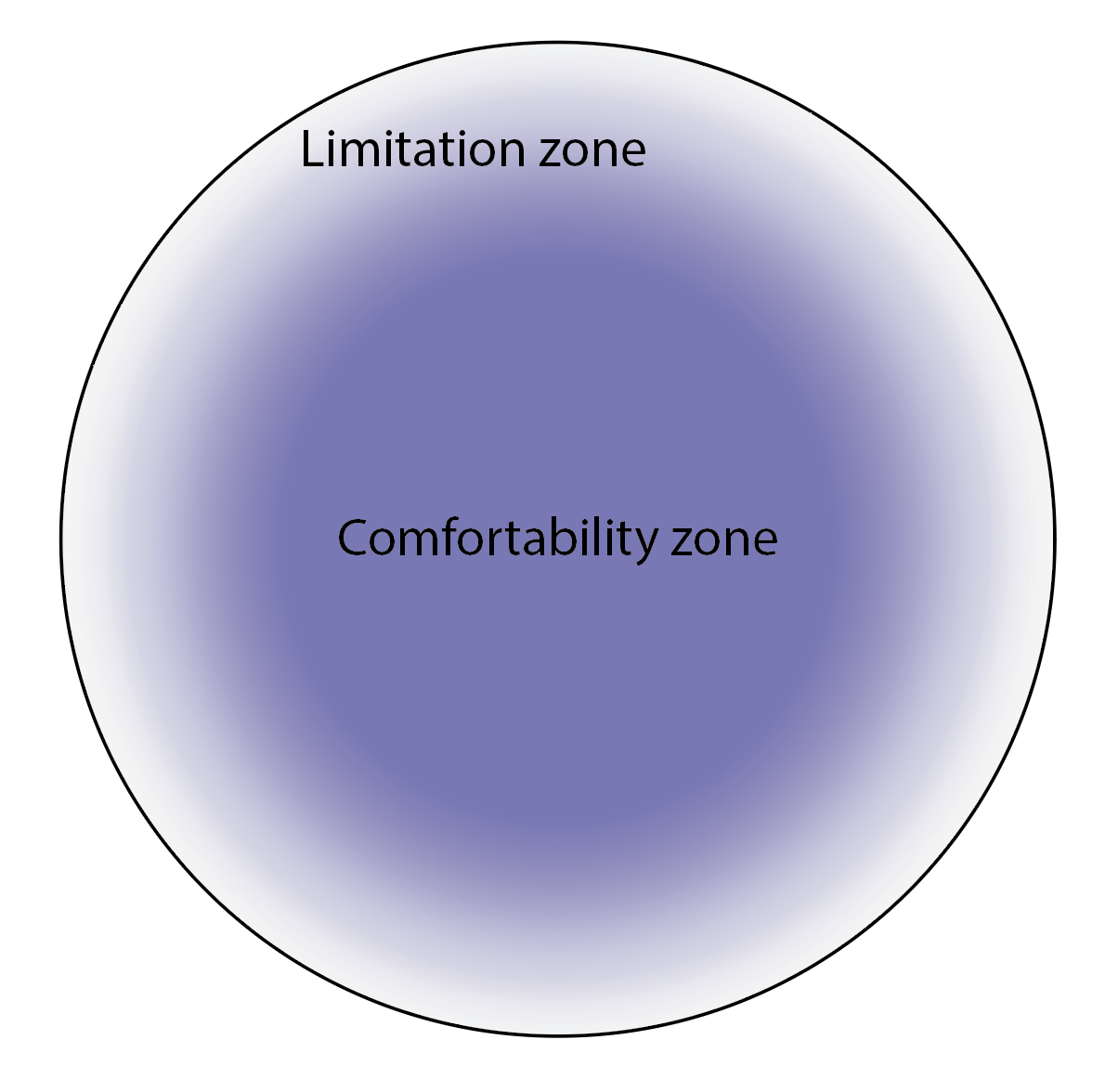
Models are very good at some tasks but fail surprisingly at others.
The frontier keeps moving, so past experience doesn’t tell you which tasks will fail.
GenAI often gets you most of the way, but not all the way.
Finishing the task takes expertise, and can be much harder when you didn’t do the first 90% yourself.

Figure by Hannah Toth
grep; referenced millions of times in training data)When challenged on an answer, like a narrative explaining a set of results, a model may flip to a completely different narrative.
Maddeningly, evidence previously interpreted to support one answer may be re-interpreted to support a completely different answer.
Facts before conclusions: first ask only for the evidence and arguments on all sides.
Competing explanations: have the model build several mutually exclusive explanations and weigh the evidence for each before picking one.
Pre-empt caving: tell the model not to change its answer when challenged, unless you provide new facts.
Second opinion: start a new chat or use another model, rather than pushing back in the same chat.
Part of the “Demystifying Research” series hosted by the OSU Libraries Research Commons
AI in Research: Responsible and Effective Use for Graduate Students
Tue Nov 10 from 12–1 pm
Reproducibility Made Realistic
Tue Oct 27 from 12–1 pm
By Kelsey Badger (Research Commons), Matt Thompson (Imageomics), and myself
Click here to go to the next lecture, Coding with an AI agent in VS Code